
Transfers
The Transfers workspace is where packages move between vaults. This page walks through the layout of the Transfers view, the difference between outgoing and incoming batches, and where to find the history of everything you have sent.
Layout
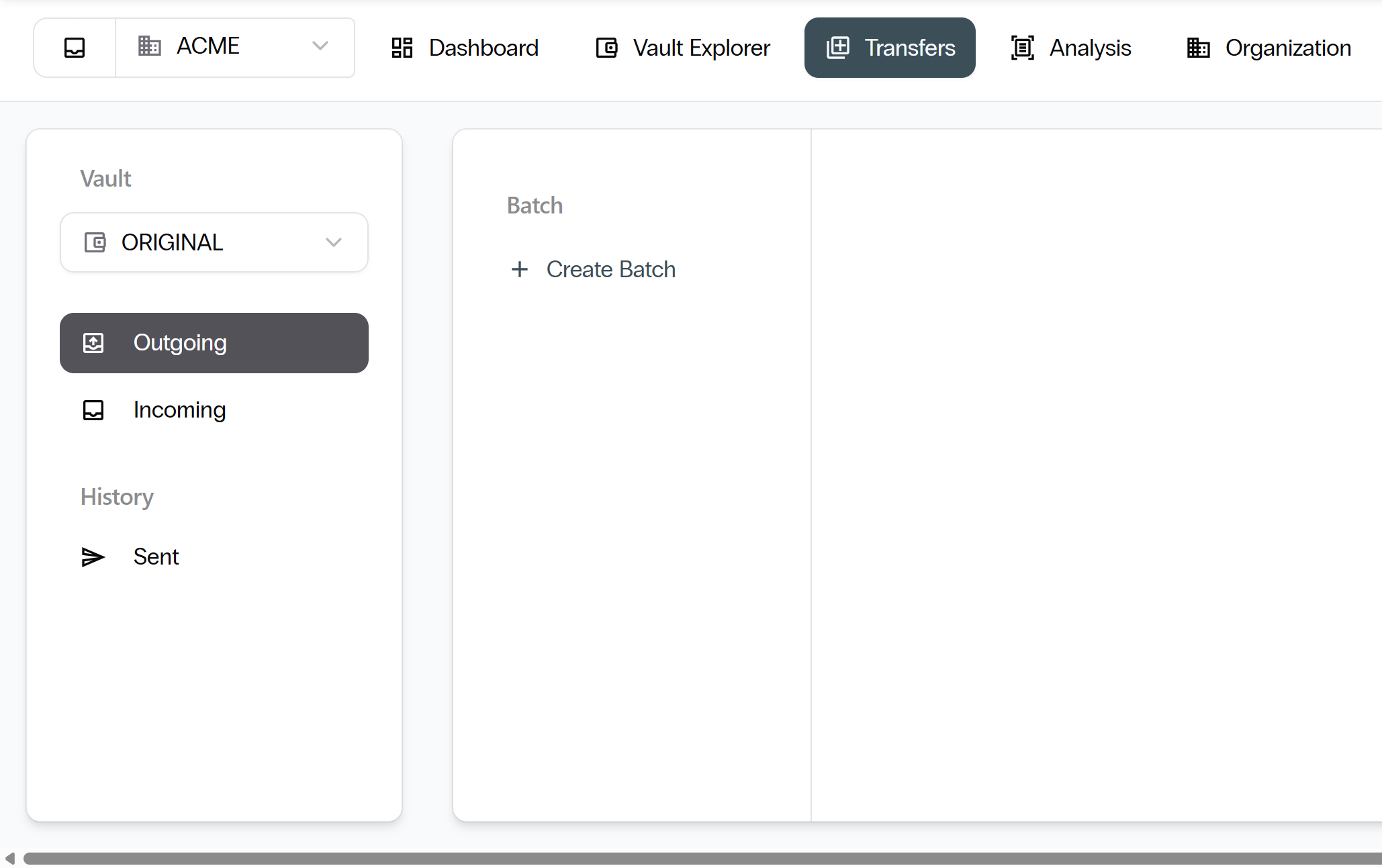
The Transfers workspace has three areas.
- Vault selector: The dropdown at the top of the left sidebar shows the vault you are transferring from or to.
- Left navigation: Three entries — Outgoing, Incoming, and Sent under History.
- Batch panel and canvas: The middle panel lists batches. The right canvas shows details of the selected batch.
Outgoing
The Outgoing view is selected by default. It lists transfer batches you are preparing or have already sent to a partner vault.
- Select Create Batch in the batch panel to start a new outgoing batch.
- Select any existing batch to see its packages, destination vault, and status.
- You can add or remove packages from a batch that has not yet been sent.
Incoming
The Incoming view lists batches that partner vaults have sent to you.
- Browse the files in each incoming batch before you decide.
- Select Accept to bring the packages into your vault, or Reject to return them to the sender.
Sent history
Under the History heading, the Sent view lists every batch you have already sent.
- Each row shows the destination vault, the number of packages, and the send date.
- Select any row to open the batch and view its audit trail.
A transfer agreement must be in place between both vaults before any transfer can happen. Agreements are directional, so each direction requires its own agreement.
Next: Organization. Continue with Organization.