
Package Management
This page defines what a package is, explains the permanence rule, and describes the left-sidebar package views.
Packages
A package is the core unit of storage in eVault. A package typically represents a loan or document bundle. Packages may contain one or more PDF documents plus supporting attachments.
Documents are Permanent
Once a document is added to a package, it can never be removed or modified.
To replace a document:
- The package is cancelled and a new one is created with the replacement document.
- A release or paper-out is performed to extract the package from eVault entirely.
Attachments and supporting files can be deleted from a package. Only the main documents are permanent.
Viewing Packages
The left sidebar in the Vault Explorer offers several ways to find and act on packages.
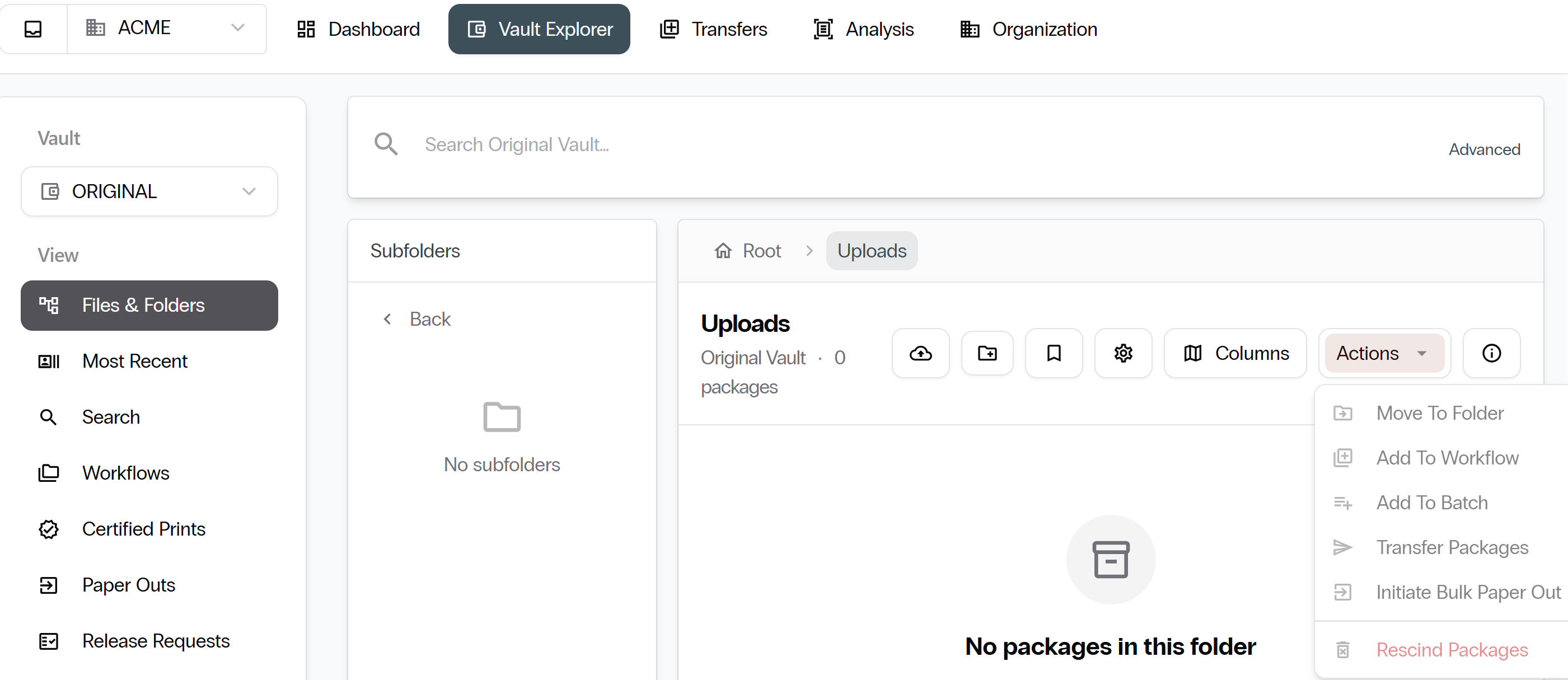
- Files & Folders: Browse packages in a folder tree.
- Most Recent: Latest packages ingested.
- Search: Filter by name, source, type, import date range, or custom field values.
- Workflows: Curated package groupings for bulk operations.
- Certified Prints: Manage certified print requests.
- Paper Outs: Manage paper-out requests.
- Data Imports: Log of bulk import jobs and their statuses.
Next: Finding Documents. Continue with Finding Documents.